How to Replace Light Bulbs on a 2026 Harley-Davidson Fat Bob (FLFB / FLFBS – Milwaukee-Eight 114)
Light Bulb Replacement Guide: 2026 Harley-Davidson Fat Bob (Milwaukee-Eight 114)
This guide covers every exterior light bulb position on the 2026 Harley-Davidson Fat Bob (M8 114), including the dual Daymaker LED headlight setup, front and rear turn signals, tail light, brake light, and running lights. The Fat Bob is built on the Softail platform and is instantly recognizable by its twin 7-inch Daymaker LED headlights from the factory. While the headlights are sealed LED units, the turn signals and tail/brake lights use replaceable 1157-series incandescent bulbs, making this guide valuable for routine replacement and LED upgrades.
Quick Reference Bulb Table
| Position | Bulb Type | Wattage | OEM Part Number | LED Upgrade Option |
|---|---|---|---|---|
| Headlight Left (Low/High Beam) | LED Sealed Unit (from factory – 7-inch Daymaker) | 35W / 40W | HARLEY-DAVIDSON 68000209 | Upgrade optics only – unit is sealed |
| Headlight Right (Low/High Beam) | LED Sealed Unit (from factory – 7-inch Daymaker) | 35W / 40W | HARLEY-DAVIDSON 68000209 | Upgrade optics only – unit is sealed |
| Front Left Turn Signal | 1157NA (amber) | 27W brake / 8W tail | HARLEY-DAVIDSON 75584-99 (bulb) | C5 / 9-LED 1157NA replacement |
| Front Right Turn Signal | 1157NA (amber) | 27W brake / 8W tail | HARLEY-DAVIDSON 75584-99 (bulb) | C5 / 9-LED 1157NA replacement |
| Rear Left Turn Signal | 1157NA (amber) | 27W brake / 8W tail | HARLEY-DAVIDSON 75584-99 (bulb) | C5 / 9-LED 1157NA replacement |
| Rear Right Turn Signal | 1157NA (amber) | 27W brake / 8W tail | HARLEY-DAVIDSON 75584-99 (bulb) | C5 / 9-LED 1157NA replacement |
| Tail / Brake Light | 1157 (dual-filament) | 27W brake / 8W tail | HARLEY-DAVIDSON 75584-99 (bulb) | Dual-row 1157 LED bulb |
| License Plate Light | 1157 (dual-filament shared) | 27W / 8W | — | Same dual 1157 bulb assembly |
Note: The 2026 Fat Bob is equipped with sealed Daymaker LED headlights from the factory. The headlight units are not user-serviceable and must be replaced as complete assemblies if they fail. However, the front turn signals, rear turn signals, tail/brake light, and running lights all use standard 1157-series bulbs that are directly replaceable and easily upgraded to LED if desired.
Difficulty & Time Estimate
- Difficulty Level: Beginner to Intermediate (1 to 3 out of 5)
- Turn signal bulb swap: Simple — no tools may be required
- Tail/Brake bulb swap: Simple — basic tools needed
- Headlight assembly replacement: Intermediate to Advanced — bracket removal and beam alignment required
- Estimated Time:
- Turn signal bulb: 5-10 minutes per side
- Tail / Brake bulb: 10-20 minutes
- Headlight assembly replacement: 45-75 minutes
- Full LED upgrade (all positions): 1 to 1.5 hours
- Best Done: In a well-lit area with the bike on a stand or level surface
Complete Tool List
| Tool | Size or Type | Purpose |
|---|---|---|
| Torx socket / driver | T-25, T-27, T-30 | Headlight bucket bolts, tail light fasteners, fender strut hardware |
| Socket wrench (3/8" drive) | 5/16", 3/8", 1/2" | Turn signal stalk bolts, tail light mounting |
| Extension bar | 3-inch to 6-inch, 3/8" drive | Recessed tail light nuts |
| Hex wrench set | 3/16", 7/32", 1/4" | Turn signal bracket set screws |
| Flathead screwdriver | Small and medium | Gently prying turn signal lenses, electrical clip retainers |
| Needle-nose pliers | Standard | Bulb extraction and connector handling |
| Torque wrench | 30-250 in-lb (ft-lb) range | Re-torque fasteners to spec |
| Clean microfiber cloth | Any | Clean headlight lens after work |
| Gloves | Nitrile | Clean handling of bulbs and electrical connectors |
| Dielectric grease | Tub or squeeze tube | Coat electrical connections to prevent corrosion |
| Plastic pry tool | Any type | Safely release turn signal lens snap-fit tabs |
| Safety glasses | Any | Eye protection during bulb removal / installation |
OEM Part Numbers & Aftermarket Alternatives
| Position | OEM Part | Aftermarket LED | Notes |
|---|---|---|---|
| Headlight Assembly (each) | Harley-Davidson 68000209 | Daymaker LED (OEM is already LED) | 7-inch sealed LED — each side replaced independently |
| 1157NA Bulb (turn signals) | Harley-Davidson 75584-99 | Sylvania ZEVO 1157NA LED, C5 9-LED 1157NA, Auxbeam 1157NA | Amber lens; 1157NA bulb has amber glass — verify amber output |
| 1157 Bulb (tail/brake) | Harley-Davidson 75584-99 | Philips Ultinon Pro 1157, LASFIT 781157, SEALIGHT 1157 | Dual-filament: tail (8W) + brake (27W) |
| Front Turn Signal Assembly (complete) | Harley-Davidson 68000354 | Kuryakyn, Cycle Visions, Custom Dynamics | Replace stalk if housing is cracked or damaged |
| Rear Turn Signal Assembly (complete) | Harley-Davidson 68678-98 | Kuryakyn, LEDany, Custom Dynamics | Verify Softail fender mounting compatibility |
| Tail Light Assembly (complete unit) | Harley-Davidson 68000356 | Custom Dynamics LED tail ring, Kuryakyn | Tail/brake combined – plug-and-play with Fat Bob harness |
Note: The 1157NA (front and rear turn signals) and 1157 (tail/brake) use the same bayonet-style bulb base but differ in glass color. 1157NA bulbs have amber-colored glass for turn signal use, while 1157 bulbs are clear glass for tail/brake use. Do not mix these — a clear 1157 in an amber turn signal housing will produce a weak white/amber output.
Step-by-Step Instructions
Headlight (Dual Daymaker LED Assemblies)
The 2026 Fat Bob features a dual 7-inch Daymaker LED headlight setup — one on each side of the front fork upper triple clamp area. These are fully sealed LED units with no replaceable internal bulbs. The left and right headlights are identical part numbers and can be individually replaced.
Step 1: Turn the ignition OFF and disconnect the battery's negative terminal for safety. Access the battery by removing the rider seat.
Step 2: Remove the rider seat by loosening the seat mounting bolt (typically 5/16" or T-30 Torx) located at the rear of the seat. Slide the seat rearward and upward to remove it.
Step 3: Disconnect the negative (–) battery terminal cable using a 5/16" wrench or socket. Tuck the cable aside to prevent accidental contact.
Step 4: Locate the headlight bucket mounting bolts. Each 7-inch Daymaker headlight is mounted to its own bracket on the fork upper triple clamp area. There are typically two bolts per headlight: one upper and one lower or side-mounting.
Step 5: Using a T-25 or T-27 Torx socket, loosen and remove the mounting bolts. Support each headlight assembly as bolts are removed to prevent dropping.
Step 6: Gently pull the headlight forward enough to access the electrical connector on the rear of the Daymaker unit.
Step 7: Disconnect the wiring harness connector by pressing the locking tab and pulling straight back. The connector is weather-sealed and may require a slight twisting motion to break the seal.
Step 8: Transfer any included heat shields, mounting brackets, or alignment hardware from the old headlight to the replacement Daymaker assembly.
Step 9: Route the new headlight connector through the bracket opening and firmly connect it to the motorcycle's wiring harness. Verify the locking tab clicks into place.
Step 10: Position the Daymaker headlight into its mounting bracket and loosely install the mounting bolts finger-tight.
Step 11: Align the headlight beam using the adjustment procedure outlined in the Tips section below. Once aligned, tighten the mounting bolts to 25-30 ft-lbs using a torque wrench. Tighten evenly to avoid misalignment.
Step 12: Repeat Steps 4–11 for the second headlight on the opposite side.
Step 13: Reconnect the battery negative terminal and tighten to 60-84 in-lbs (5-7 ft-lbs).
Step 14: Reinstall the rider seat and secure the mounting bolt. Torque to 15-20 ft-lbs.
Step 15: Test both headlights: turn ignition ON and verify low beam on each side. Toggle to high beam and verify both sides illuminate.
Step 16: Verify the beam aim for both headlights (see alignment procedure in the Tips section below).
Front Turn Signals (1157NA Bulb Replacement)
The Fat Bob front turn signals are mounted on stalks attached to the front fork lower triple clamp area. The bulb can be replaced without removing the entire turn signal stalk from the bike.
Step 1: Turn the ignition OFF. No need to disconnect the battery for a simple bulb swap.
Step 2: Locate the front turn signal housing on the side you are servicing. The housing is held to the stalk by a chrome or black trim ring that snaps or screws into place.
Step 3: For snap-ring housings: using a plastic pry tool or gentle flathead screwdriver (wrapped in tape to avoid scratching), carefully release the trim ring clips and remove the lens cover. For threaded housings: carefully unscrew the chrome trim ring counter-clockwise by hand.
Step 4: Gently press the 1157NA bulb into the socket and rotate it a quarter turn (about 30-45 degrees) counter-clockwise to release the bayonet tabs. The old bulb will come free.
Step 5: Insert the new 1157NA (amber) bulb into the socket, press in firmly, and rotate a quarter turn clockwise until the bayonet tabs lock into the grooves. Do not force the bulb — if it doesn't seat smoothly, the pins are misaligned. Realign and try again.
Step 6: Before resealing, briefly turn the ignition ON and activate the turn signal to confirm the new bulb works. Turn ignition OFF before continuing.
Step 7: Inspect the lens O-ring or rubber gasket. Clean any dirt or debris from the sealing surface. If the gasket is cracked or brittle, replace it.
Step 8: Replace the lens cover and re-install the trim ring. Snap or screw it back into place securely.
Step 9: Activate the turn signal from the handlebar switch and verify: - Amber light is visible from the front - The flash rate is normal (1-2 flashes per second) - The left and right sides both function independently
Step 10: Repeat for the opposite front turn signal.
Rear Turn Signals (1157NA Bulb Replacement)
The Fat Bob rear turn signals are mounted on brackets attached to the rear fender struts. The bulb replacement procedure is similar to the front turn signals.
Step 1: Turn the ignition OFF.
Step 2: Access the rear turn signal housing. The rear lens housing is typically mounted on a bracket bolted to the fender strut with a single bolt.
Step 3: Remove the rear lens cover using the same technique as the front: unscrew the trim ring (counter-clockwise by hand) or gently pry off snap-ring retainers with a plastic tool.
Step 4: If the turn signal housing itself is difficult to reach, you may need to remove the entire turn signal from the fender: - Locate the mounting bolt at the base of the turn signal stalk (typically 3/8" socket) - Remove the bolt and pull the turn signal away from the fender bracket - Disconnect the wiring harness connector at the base of the stalk - Pull the wiring through the fender bracket hole to free the assembly
Step 5: Press and rotate the 1157NA bulb counter-clockwise to remove it from the socket. The amber 1157NA bulb will be clearly visible once removed.
Step 6: Insert the replacement 1157NA bulb into the socket. Press in and rotate clockwise until the bayonet tabs lock.
Step 7: If you disconnected the wiring harness, reconnect the turn signal connector and route the wiring back through the fender bracket.
Step 8: Reinstall the turn signal housing to the fender bracket with the mounting bolt. Torque to 75-105 in-lbs (6-9 ft-lbs).
Step 9: Snap or screw the lens cover and trim ring back into place.
Step 10: Turn ignition ON and test both rear turn signals from the handlebar switch: - Verify amber flash on each side - Confirm the flash rate is steady and within range - Verify the dash indicator flashes correspondingly
Step 11: Repeat for the opposite rear turn signal.
Tail / Brake Light (1157 Dual-Filament Bulb)
The Fat Bob tail light uses a dual-filament 1157 bulb that provides both the tail running light (dim filament, 8W) and the brake light (bright filament, 27W). The tail light assembly is typically integrated into the rear fender.
Step 1: Turn the ignition OFF.
Step 2: Access the rear fender area. For easier access, remove the passenger/pillion seat by pulling the quick-release latch or removing the seat mounting bolts (typically T-25 Torx or 10mm hex depending on seat style).
Step 3: Locate the tail light lens. The lens is typically held by a chrome or black outer ring with snap rings or screws.
Step 4: Remove the tail light lens cover: - For snap-ring types: use a plastic pry tool to gently release the retaining clips around the lens perimeter - For screw types: remove the screws (typically T-25 Torx, 1-2 screws)
Step 5: Pull the bulb socket assembly straight out from the tail light housing. The 1157 bulb is accessible at the base of the socket.
Step 6: Press the bulb in and rotate counter-clockwise (about 30 degrees) to release it from the bayonet socket.
Step 7: Insert the new 1157 bulb (clear glass, dual-filament type). Press in firmly and rotate clockwise until the bayonet tabs lock. You should feel two distinct clicks — one for the tail filament position and one for the brake filament position. If you only feel one click or the bulb sits loose, it is not fully seated.
Step 8: Before fully reassembling, briefly test the bulb: - Reconnect the battery negative terminal - Turn ignition ON — tail light (dim) should illuminate - Apply the front or rear brake — bright brake light should activate - Activate each turn signal — tail should dim or flash accordingly (depending on how the running lights interact) - Turn ignition OFF and disconnect battery if continuing work
Step 9: Inspect the tail light lens gasket. Clean the sealing surface and ensure the gasket is not cracked, torn, or compressed excessively. Replace if damaged.
Step 10: Reinstall the bulb socket assembly into the tail light housing by pushing it in firmly until it seats.
Step 11: Replace the lens cover and re-secure with snap clips or screws. If screws are used, torque to 15-25 in-lbs (finger-tight plus a gentle 1/8 turn).
Step 12: Reinstall the passenger/pillion seat.
Step 13: Perform a full lighting verification (see Verification Notes).
License Plate Light (Tail/Brake Integration)
The Fat Bob's license plate illumination is provided by the lower portion of the 1157 dual-filament tail/brake bulb assembly and reflects off the tail light lens onto the plate area. Some model years may include a separate LED license plate light module. If your Fat Bob has a separate license plate light:
Step 1: Turn the ignition OFF.
Step 2: Locate the license plate light module mounted on the rear fender strut or tail light bracket.
Step 3: Remove the plastic lens screw (typically T-25 Torx) or snap clips.
Step 4: Disconnect the electrical connector and remove the module.
Step 5: Install the replacement module, reconnect the harness, and re-secure with the fastener.
Step 6: Test with ignition ON — the license plate area should be illuminated.
Tips, Warnings & Common Mistakes
Headlight Alignment After Assembly Replacement
Even though the Fat Bob uses sealed LED Daymaker headlights from the factory, beam alignment is critical after removal and replacement:
- Park the Fat Bob upright on level ground, 25 feet from a flat wall or garage door. Have a helper steady the bike or use a rear stand.
- Measure from the ground to the center of each LED headlight lens.
- Draw a horizontal reference line on the wall at the measured height. Draw a second line 2 inches below the first.
- Cover one headlight with a cloth so you can align each independently.
- With low beam active, the top edge of the LED bright zone should be at or below the lower reference line.
- The beam hotspot center should be 2 inches below the headlight center height line.
- Horizontally, each beam center should align with the center of its respective headlight (left headlight aligns left, right headlight aligns right).
- Adjust using the alignment screws on the Daymaker mounting bracket. Tighten alignment screws to 80-100 in-lbs (7-8 ft-lbs) after adjustment.
- Uncover the second headlight and repeat.
- Verify both beams together do not create excessive glare.
Bulb Handling and Replacement Best Practices
| Feature | Traditional Bulbs | 1157-Series Bulbs on Fat Bob |
|---|---|---|
| Replaceable | Yes — bayonet base | Yes — bayonet base |
| Cost per replacement | $5-10 per bulb | $5-12 per bulb (OEM) |
| Lifespan | 500-1,500 hours | 1,000-2,000 hours |
| LED upgrade option | N/A | Widely available |
| Replacement difficulty | Simple | Simple — no tools for bulb swap |
Key Takeaway: The Fat Bob's Daymaker LED headlights are sealed and not serviceable, but all turn signals and the tail/brake light use common 1157-series bulbs that are inexpensive and easily accessible.
Diagnostic Tips
- Turn signal flashing too fast: Usually indicates a bad bulb, not a flasher relay issue. Check the 1157NA bulb first. If replaced with LED and flashing fast on both sides, the Harley-Davidson CAN bus may need a load equalizer.
- Tail light not illuminating, but brake light works: The dim filament in the 1157 dual-filament bulb has burned out. Replace the 1157 bulb.
- Headlight flickering or one Daymaker not illuminating: Check the electrical connector for corrosion or a loose pin before replacing the entire Daymaker assembly.
- Moisture inside turn signal lens: Remove the lens, dry with compressed air, inspect the O-ring for damage, and apply a thin bead of automotive silicone sealant to the gasket before reassembly.
- Brake light dim or intermittent: Check the brass contact tabs inside the bulb socket — they may be bent or corroded. Gently bend them upward with a small flathead screwdriver to ensure good contact with the 1157 bulb base pins.
LED Upgrade Considerations
- Advantage of 1157 LED bulbs: 80-90% lower power draw, instant full brightness, and 25,000+ hour lifespan.
- Consideration for CAN bus systems: The Fat Bob uses a CAN bus electrical system. Some LED bulbs may cause fast flash rates or error messages because they draw less current than the OEM incandescent bulbs. If this occurs, install a load equalizer/resistor (typically 6-ohm, 50W) on the affected circuit.
- Amber output for turn signals: Ensure aftermarket 1157NA LED replacements specify amber output. Some LED 1157NA bulbs have amber glass housings with white LEDs, which may not meet DOT requirements.
- Brightness vs. heat: LED bulbs generate less light heat but still have heat sinks — ensure adequate clearance for cooling fins within the housing.
- Dual-function 1157 LED bulbs for tail/brake: Verify the aftermarket LED 1157 bulb has separate circuits for tail (dim) and brake (bright) functions. Some cheap LED 1157 bulbs are single function and will not work correctly for combined tail/brake applications.
Legal Notes
- All replacement bulbs must comply with DOT/FMVSS 108 standards.
- Turn signal bulbs must emit amber light and flash at 60-120 flashes per minute per federal regulations.
- Headlight replacement Daymaker assemblies must be DOT certified for street use in all 50 states.
- Some states have restrictions on LED color temperature and brightness for turn signals.
- Load equalizers/resistors generate heat during operation — mount them to a metal surface away from flammable materials and plastic bodywork.
Common Mistakes to Avoid
| Mistake | Consequence | Prevention |
|---|---|---|
| Installing a clear 1157 in an amber turn signal housing | White light output, failed inspection, poor visibility through amber lens | Always use 1157NA (amber glass) bulbs for turn signals |
| Installing an amber 1157NA in the brake light housing | Amber brake light, extremely dangerous and illegal | Only use clear 1157 dual-filament bulbs for tail/brake |
| Not fully seating the bayonet bulb | Intermittent operation or one filament not working | Ensure both bayonet tabs fully engage the J-grooves — feel for two clicks on dual-filament 1157 |
| Over-tightening the turn signal lens trim ring | Cracked lens or broken snap rings | Hand-tight only for threaded rings; gentle snap for clip-on types |
| Touching halogen bulb glass with bare fingers | Finger oils cause hot spots that shorten bulb life | Wear nitrile gloves or use a clean cloth to handle bulbs |
| Forgetting to test both filaments of the 1157 bulb | Tail light works but brake does not (or vice versa) | Test tail (dim) and brake (bright) separately before reassembly |
| Damaging the weather seal on the turn signal housing | Water ingress, corroded socket, premature bulb failure | Inspect and replace damaged O-rings; use dielectric grease |
| Not using a load equalizer with LED turn signal bulbs | Hyper-flashing on both sides, dash indicator error | Test with ignition before final assembly; add resistor if needed |
| Dropping the Daymaker headlight during removal | Cracked lens, destroyed LED module, $200+ replacement | Always support the headlight with your free hand during bolt removal |
| Not aligning both Daymaker headlights to the same pattern | Misaligned beam, glare for oncoming traffic, reduced visibility | Align each headlight independently then verify together |
| Cross-threading the Daymaker mounting bolts | Stripped threads, loose headlight, vibration damage | Start all bolts by hand before applying a socket or wrench |
Verification Notes for 2026 Model Year
The 2026 Harley-Davidson Fat Bob (M8 114) continues the Softail platform with its distinctive dual Daymaker LED headlight setup and traditional replaceable bulb architecture for all signal and tail lighting. Confirm the following against your owner's manual or an authorized Harley-Davidson dealer:
| Item | Specification | Notes |
|---|---|---|
| Headlights | Dual 7-inch Daymaker LED sealed assemblies (left and right) | H-D part 68000209 each — identical units |
| Front turn signals | 1157NA (amber) bayonet bulb | Individual bulb replacement |
| Rear turn signals | 1157NA (amber) bayonet bulb | Individual bulb replacement |
| Tail / Brake light | 1157 dual-filament (clear glass) bayonet bulb | Combined tail (dim) / brake (bright) function |
| License plate light | Integrated with tail/brake assembly or separate module | Varies by model year and market |
| Bulb base type | Bayonet (BA15d for dual-filament) | Standard 1157 base |
Pre-Ride Verification Checklist
After replacing any lighting component on your Fat Bob, verify all of the following before riding:
- [ ] Left front turn signal: amber flash, correct speed
- [ ] Right front turn signal: amber flash, correct speed
- [ ] Left rear turn signal: amber flash, correct speed
- [ ] Right rear turn signal: amber flash, correct speed
- [ ] Tail light: steady dim illumination with ignition ON
- [ ] Brake light: bright illumination when front lever and rear pedal are applied separately
- [ ] Headlight low beam: both Daymaker units illuminate
- [ ] Headlight high beam: both Daymaker units illuminate
- [ ] Dash turn signal indicators: left and right flash correctly
- [ ] No warning lights or error codes on the instrument cluster
- [ ] Both headlight beams properly aimed (25 ft wall test)
- [ ] All lens covers securely sealed (no moisture intrusion risk)
To verify all specifications, check your 2026 Fat Bob owner's manual included with the motorcycle, or access it through the Harley-Davidson mobile app (H-D Connect).
This guide was prepared using Harley-Davidson OEM specifications and the known lighting architecture of the 2026 Fat Bob (M8 114) Softail platform. Always verify against your specific owner's manual before performing maintenance. Bulb types and part numbers may vary by model year, market, and optional factory lighting packages.
Parts for this job
Fits FLFBS, FLFB, FL — from our catalogue of 41,000+ aftermarket parts.
 Stock Style Tail Lamp Replacement Lens Clear$7.02
 Tail Lamp Lens Plastic Clear Top$10.64
 12 Volt Bulb$12.02
 Spring Fork Spotlamp Bulb 12 Volt$12.02
 Tail Lamp Stock Type Red Plastic Lens$12.80
 Spring Fork Spotlamp Bulb 6 Volt$12.80
 Tail Lamp Lens Plastic Red$12.80
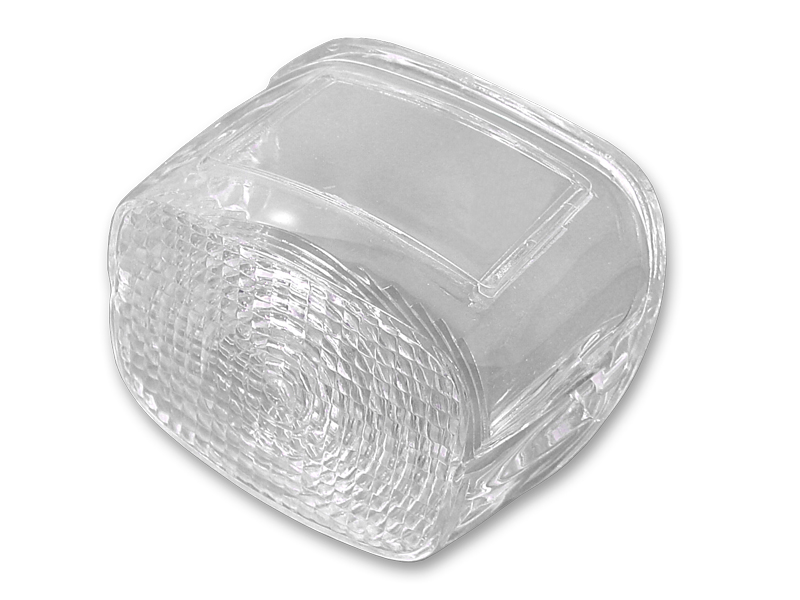 *UPDATE Tail Lamp Lens Stock Clear$12.94
 *UPDATE Tail Lamp Plastic Clear Lens$12.94
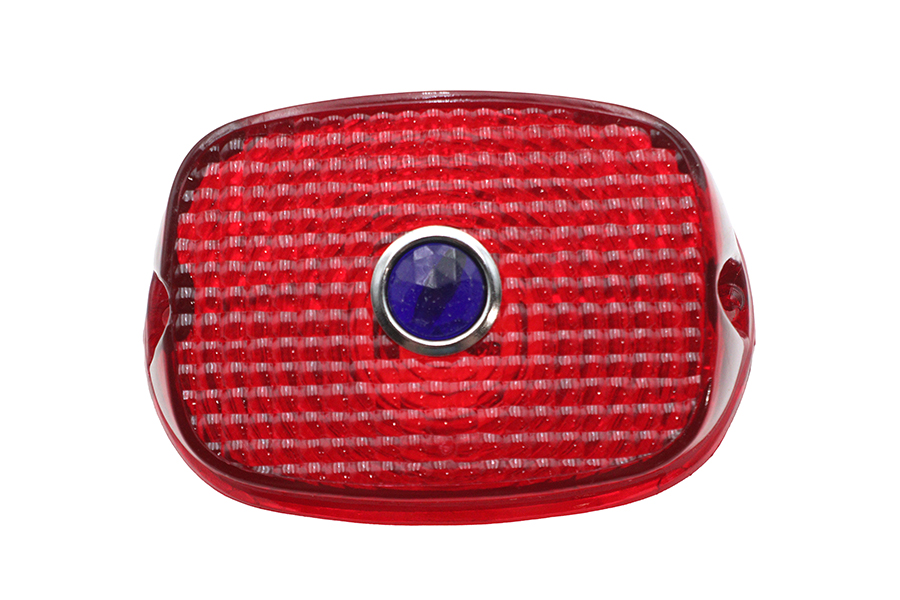 Tail Lamp Lens Red with Blue Dot$17.12
 6 Volt Bulb$19.31
 Tail Lamp Blue Dot Red Plastic Lens$21.44