Battery Guide: 2026 Harley-Davidson Breakout FXBR
Battery Guide: 2026 Harley-Davidson Breakout FXBR
Quick Reference Table
| Spec | Value | Source |
|---|---|---|
| Battery Type | AGM (Absorbed Glass Mat), 12V, sealed and maintenance-free | Battery construction standard for this platform |
| OEM Part Number | Verify against your owner's manual or dealer | — |
| Group Size | Verify against your owner's manual or dealer | — |
| Cold Cranking Amps (CCA) | Verify against your owner's manual or dealer | — |
| Reserve Capacity | Verify against your owner's manual or dealer | — |
| Nominal Voltage | 12V | Electrical system specification |
| Fully Charged Resting Voltage | 12.6V - 12.8V | AGM chemistry standard |
| Charging System Output | 13.8V - 14.8V at cruising RPM | General Harley charging system range; confirm the exact spec in your service manual |
| Dimensions (LxWxH) | Verify against your owner's manual or dealer — measure the old battery before ordering | — |
| Weight (approx) | Verify against your owner's manual or dealer | — |
| Terminal Type | Threaded post with bolt-through cable lugs | Observed hardware on Softail platform; confirm on your bike |
| Terminal Position | Confirm orientation on your own bike before ordering — note which side the positive post sits on | Installation practice |
| Hold-Down Method | Strap over the battery, anchored to the tray | Factory installation |
| Replacement Interval | 3-5 years depending on climate and how often the bike sits | Maintenance practice |
| Recommended Brands | Harley-Davidson Genuine AGM, Odyssey, Motobatt, Yuasa — match group size and CCA to the OEM spec | Dealer and shop practice |
Do not order a battery off a spec table alone. Pull the old one, measure it, and read the label on its side. That label is the most reliable spec sheet you will ever get for your specific bike.
Difficulty & Time Estimate
- Difficulty Level: Beginner (1 out of 5) — hand tools only, no special equipment
- Estimated Time: 25-35 minutes for someone who has done it before, 45-60 minutes the first time
- Seasonal Note: Work above 40°F if you can. Cold hands drop small nuts into places you will regret.
- Tools at hand: Everything you need fits in a basic socket set plus a Torx driver. Nothing here calls for a lift, a press, or a shop tool. The Breakout's low, stretched stance means you will be working closer to the floor than on a Touring bike — a low stool or a kneeling pad makes the job considerably less miserable.
Tools Required
| Tool | Purpose |
|---|---|
| Safety glasses | Battery acid and sparks. Non-negotiable. |
| Nitrile or mechanic's gloves | Keeps acid residue and corrosion off your skin |
| Torx driver set (T25/T27 range) | Seat and side cover fasteners — check which size your bike actually uses |
| Metric socket set with 10mm socket | Terminal bolts and hold-down hardware on most Harley batteries |
| 1/4" drive ratchet and short extension | Reaching terminal bolts in a tight tray |
| Digital multimeter | Resting voltage and charging system output — the single most useful tool in this job |
| Wire brush or battery terminal brush | Cleaning corrosion off cable lugs and posts |
| Baking soda and water solution | Neutralizing acid residue in the tray |
| Shop rags and a small bucket | Cleanup |
| Dielectric grease | Sealing terminals against future corrosion |
| Torque wrench (inch-pound range) | Terminal and hold-down hardware — overtightening cracks battery cases |
| Battery tender / smart charger | Topping off the new battery and long-term maintenance |
| Flashlight or headlamp | The battery box on a Softail sits in shadow |
Battery Location & Access
On the Breakout, as on the rest of the Softail family, the battery lives low and centrally under the seat, tucked between the frame rails ahead of the rear fender. It is not behind a decorative triangular cover the way it is on a Touring bike — on this chassis you get to it by removing the seat.
What comes off first:
- The seat. A single fastener at the rear of the seat holds it down on most Softail models. Remove it, then slide the seat rearward to release the tongue from its slot at the front. Set the seat on a soft surface, right side up, so you do not scratch the paint or the seat pan.
- Any electrical cover or tray shroud. Depending on how the bike is optioned, there may be a plastic cover or trim panel over the battery top and the fuse block. It typically lifts or unclips. Note where every clip sits before you pull.
- Accessory wiring. If the previous owner or the dealer added a security system, USB port, heated grip controller, or auxiliary lighting, the pigtails are often terminated right at the battery posts. Photograph them before you touch anything. Reassembling in the wrong order is the most common way a simple battery swap turns into a two-hour diagnostic session.
The Breakout's fat rear tire and low seat height mean less clearance to swing your hands around than you get on a Fat Boy or a Heritage. Take the seat fully off the bike and put it somewhere else — do not just tip it up and try to work under it.
Step-by-Step Replacement
Step 1: Park, Cool, and Kill the Ignition
Park on level ground with the kickstand fully down. Turn the ignition off and pull the key. If the bike has been running, give the exhaust and engine cases fifteen minutes to cool — you will be reaching past them. Work in open air or a well-ventilated garage, away from anything with a pilot light or an open flame. AGM batteries are sealed, but a badly overcharged one can still vent hydrogen.
Step 2: Gear Up
Safety glasses and gloves on before the first fastener comes out. Old batteries carry acid residue on the case and around the terminals even when they look clean.
Step 3: Remove the Seat
Back out the seat fastener, slide the seat rearward, and lift it clear. Put the fastener somewhere it cannot roll away — a magnetic tray or your pocket. Set the seat aside off the bike.
Step 4: Photograph Everything
Before a single cable comes off, take clear photos of the battery top from two angles. You want the cable routing, which post each lug sits on, the position of the vent tube if one is fitted, and every accessory lead. Tip: Photograph, do not trust memory. Twenty minutes from now the layout will not look as obvious as it does right now.
Step 5: Disconnect the Negative Terminal First
Loosen and remove the negative (−) terminal bolt, usually a 10mm head. Lift the cable lug off the post and tuck it out of the way — bend it aside and, if it wants to spring back, hold it with a rag or a zip tie.
Why negative first: the negative cable is bonded to the frame, the engine, and every metal surface on the bike. With it disconnected, the chassis is dead. If your wrench then slips and touches metal while you work on the positive post, nothing happens. Do it in the other order and a slipped wrench across the positive post to the frame is a dead short through the battery — arc flash, molten tool, ruined battery, occasionally a fire.
Step 6: Disconnect the Positive Terminal
Remove the positive (+) terminal bolt and lift the cable off. Move it clear of the battery and clear of the negative cable. If the positive post has a red boot or cover, fold it back over the lug so the exposed metal is not sitting loose in the tray.
Warning: Never let a loose positive lug rest on the battery case or the tray. When the new battery goes in, that lug can contact the post or the frame before you are ready.
Step 7: Release the Hold-Down Strap and Vent Tube
Undo the hold-down strap — on these trays it is typically a strap over the battery anchored to studs on the tray. Swing it clear. If a vent tube is fitted, pull it off the battery's vent fitting and note where it routes. Do not yank it; the fitting is plastic and it will snap.
Step 8: Lift the Old Battery Out
Grip the battery by its handle strap if it has one, or by opposite corners of the case, and lift straight up. It will be heavier than it looks. Keep it upright. Set it on concrete or a plastic tray — not on a wood bench you care about, and not on carpet.
Tip: As soon as it is out, read the label on the side and write down the group size, CCA, and dimensions. That is your shopping list, and it beats any spec table on the internet including this one.
Step 9: Clean and Inspect the Tray
Look for white or green crust, staining, cracks in the tray, and a chewed or crushed battery pad. Mix a spoonful of baking soda into a cup of water and scrub any corrosion with a rag, then wipe dry with clean water and let it air out completely. A tray that has been sitting in acid residue will eat the next battery's terminals too. If the rubber pad under the battery is flattened, split, or missing, replace it — see the parts table below.
Step 10: Inspect Cables and Terminal Hardware
Flex each cable along its length. You are looking for cracked insulation, a stiff spot where the copper has corroded inside the jacket, and green powder wicking up under the insulation at the lug. Clean the lug faces with a terminal brush until they are bright metal. A clean lug on a bad cable still starts hard — if a cable is corroded internally, replace it now while everything is apart.
Step 11: Set the New Battery In
Confirm the new battery is charged and that its posts are oriented the same way the old one's were. Lower it straight into the tray, sitting flat on its pad. It should not rock or slide. If it is loose in the tray, shim it properly with a pad — do not let it move. Vibration on a V-twin destroys a battery that is not held tight.
Warning: If the posts are reversed relative to your cables, stop. Do not stretch a cable to reach. You have the wrong battery for the bike.
Step 12: Reinstall the Hold-Down and Vent Tube
Strap the battery down and snug the hardware. Firm and secure, not gorilla-tight — the case is plastic and it will crack. If your manual gives a torque figure for the hold-down, use it; otherwise tighten until the battery cannot be moved by hand and stop there. Reattach and route the vent tube if one is fitted, making sure it is not kinked, pinched, or aimed at painted surfaces.
Step 13: Connect the Positive Terminal First
Positive cable onto the positive post, bolt started by hand, then tightened with a socket. Snug it down so the lug cannot be twisted on the post by hand. Torque: verify the terminal torque spec against your owner's manual or dealer — these are small threads into a plastic-bodied post and stripping one is a new battery. Reinstall any accessory leads in the order you photographed them, then fold the red boot back over the lug.
Step 14: Connect the Negative Terminal Last, Then Test
Negative cable on last, for the same reason it came off first — until this connection is made, the chassis is dead and no slipped tool can short anything. You may see a small spark as the lug touches the post; that is the bike's electronics drawing their initial current and is normal. Tighten to the same verified spec.
Now turn the ignition on before you put the seat back. Check that the gauges light, the horn works, and the headlight comes on. Start the bike. With it running at a fast idle, put the multimeter across the battery posts — you want to see charging voltage above resting voltage, in the 13.8V to 14.8V neighborhood. If it reads the same as it did with the engine off, you have a charging system problem, not a battery problem, and the new battery will die too.
Shut it down, wipe a thin film of dielectric grease over each terminal, reinstall any cover, and put the seat back on. Tug the seat rearward to confirm it is latched before you ride.
Charging & Maintenance
An AGM battery is sealed. You cannot add water to it, and you cannot fix it once it is damaged. Everything about maintaining one comes down to keeping it charged and keeping it cool.
Use a smart tender, not a trickle charger. A modern battery tender monitors voltage and switches to a float or maintenance mode once the battery is full. An old-fashioned trickle charger pushes current continuously whether the battery needs it or not, and it will cook an AGM battery dry from the inside. If your charger has no AGM mode or no automatic shutoff, buy a new charger. It costs less than a battery.
Charge rate matters. Charge an AGM motorcycle battery at a low amperage — roughly a tenth of its amp-hour rating is the traditional rule. Automotive chargers with a 10A "fast" or "boost" setting will overheat a small motorcycle battery. Use the motorcycle setting, or a charger built for motorcycle batteries.
Never use a desulfator or "repair" pulse mode on an AGM battery unless the charger specifically states it is AGM-safe. High-voltage pulse modes are built for flooded batteries and they damage glass-mat construction.
What actually kills an AGM battery:
- Sitting discharged. A battery left below about 12.4V starts sulfating, and sulfation is permanent. A bike that sits three weeks between rides needs a tender.
- Parasitic draw. Alarms, GPS trackers, and accessory modules pull current with the key off. On a bike that sits, they will flatten a battery in under two weeks.
- Heat. A hot battery box in Florida summer ages a battery faster than any amount of cold. Heat is the real killer; cold just exposes the damage heat already did.
- Chronic undercharging. Short trips that never let the charging system replace what starting consumed. Five-minute rides are a slow death sentence for a battery.
- Vibration. A loose hold-down lets the plates work against each other. Check the strap every time you have the seat off.
- Overcharging. A failing voltage regulator pushing over 15V will boil an AGM battery. If you kill batteries repeatedly, test the charging system before you buy another one.
Once a month, pull the seat and put a meter on the posts. Thirty seconds of checking beats a jump start in a parking lot.
Winter Storage
The Breakout is not a bike most people ride in January, even in warm states. How you store it decides whether the battery survives to spring.
- Charge it fully before storage. Put the bike on a tender and let it reach full float before you park it. A battery stored at partial charge sulfates over the winter.
- Pick one: tender or removal. If you have a receptacle near the bike, leave a quality smart tender connected all season with the pigtail hard-wired to the battery. If not, remove the battery and bring it inside.
- If you remove it, store it right. Cool and dry, off concrete, upright, somewhere above freezing. A fully charged AGM will not freeze at normal winter temperatures, but a discharged one will — and a frozen battery is scrap. Top it up with a tender every four to six weeks.
- Disconnect negative if leaving it in the bike without a tender. Pull the negative cable to kill parasitic draw. You will lose clock and radio presets. That is a cheap trade.
- Check monthly. Put a meter on it. If resting voltage has fallen below 12.4V, charge it immediately.
- In spring, test before you trust it. Charge, let it rest overnight, then check resting voltage. A battery that will not hold above 12.4V after a full charge is not going to make it through the season.
Testing a Suspect Battery
Before you spend money, find out whether the battery is actually the problem. Most "dead battery" complaints are either a discharged battery that is still perfectly good or a charging system fault that will kill whatever you install next.
Resting voltage. Let the bike sit at least a few hours after riding or charging — surface charge on a freshly charged battery reads high and lies to you. Set the multimeter to DC volts, red probe on positive, black on negative.
| Resting Voltage | State of Charge | What It Means |
|---|---|---|
| 12.7V or higher | 100% | Healthy and fully charged |
| 12.5V - 12.6V | ~75-90% | Fine, but top it up on a tender |
| 12.3V - 12.4V | ~50-75% | Undercharged. Charge it and find out why it got there. |
| 12.0V - 12.2V | ~25-50% | Deeply discharged. Charge now; sulfation is already starting. |
| Below 12.0V | Near flat | Charge and test. Many batteries do not recover from this. |
| Below 10.5V after a full charge | Dead cell | Replace it. No charger fixes a shorted cell. |
Load test. Voltage alone only tells you state of charge, not whether the battery can deliver current. A battery can read 12.7V at rest and still collapse the instant the starter engages.
- With a load tester: apply the tester's load for the rated interval and watch the voltage. It should stay above roughly 9.6V at room temperature. Below that, and the battery is done.
- Without a load tester: put the meter across the posts and hit the starter while watching the screen. Voltage will dip — that is normal. A dip to around 10V or above that recovers immediately is a healthy battery. A collapse into the 8s or lower, or a slow crank with headlights browning out, is a battery that has lost capacity.
Test the charging system too. With the engine running at a fast idle, measure across the posts. Under about 13.5V means the battery is not being recharged — suspect the stator, the regulator, or the main fuse. Over about 15V means it is being overcharged, which will destroy a new battery in weeks. Either result means fix the charging system before you buy anything.
Check for parasitic draw. If a known-good battery keeps going flat over a week or two of sitting, disconnect the negative cable and put the meter in series between the cable and the post, set to DC amps. A small draw is expected from the bike's modules. A large one is an accessory or a fault, and it will flatten every battery you put in.
Replacement Parts We Stock
These are V-Twin Manufacturing parts from our own catalog that fit FXBR, FXB, and FX applications. Confirm fitment for your specific year and configuration before ordering.
| Part Number | Description | Price | Category |
|---|---|---|---|
| 28-0539 | Battery Pad Set | $8.67 | Trays & Carriers |
| 28-0749 | Battery Tray ISO Stud Set | $8.87 | Trays & Carriers |
| 28-0547 | Battery Tray ISO Stud | $10.02 | Trays & Carriers |
| 32-1024 | Brass Battery Terminal Adapter Kit | $10.67 | Cables |
| 37-8933 | Zinc Battery Vent Clamp | $10.67 | Cables |
| 28-0619 | Battery Tray ISO Stud | $12.27 | Trays & Carriers |
| 42-0515 | Stainless Steel Battery Strap | $14.27 | Straps |
| 36-0125 | *UPDATE 35" Stainless Steel Speedometer Cable | $14.42 | Cables |
| 28-0549 | Battery Tray ISO Stud Set | $15.42 | Trays & Carriers |
| 36-2410 | 46.5" Black Speedometer Cable | $17.25 | Cables |
| 31-4186 | Chrome Battery Tray Carrier Bracket | $17.87 | Trays & Carriers |
| 32-0313 | Black Ground 10-1/4" Battery Cable | $17.98 | Cables |
| 31-0149 | Chrome Speedometer Cable Guide | $18.02 | Cables |
| 28-0546 | Battery Tray ISO Stud | $18.64 | Trays & Carriers |
While you have the seat off and the battery out, the pads, ISO studs, and hold-down strap are the parts worth replacing. They are inexpensive, they are the reason a battery does or does not stay put under vibration, and getting back in there later means pulling the seat again.
Tips, Warnings & Common Mistakes
Tips worth the thirty seconds:
- Write the install date on the new battery with a paint pen before it goes in. Four years from now you will want to know.
- Charge the new battery fully before installing it. Batteries sit on shelves, and a battery installed at 60% never fully recovers on short rides.
- Keep one wrench on the job. Set every tool you are not using outside the bike, not on the seat rails or across the frame.
- Take the rings off. A wedding band across a positive terminal is a serious burn.
- Add a tender pigtail while you are in there. A permanently mounted lead means you will actually use the tender instead of pulling the seat every time.
Common mistakes and what they cost you:
| Mistake | Consequence |
|---|---|
| Disconnecting positive first | Wrench slips to frame, dead short, arc flash, melted tool, possible fire |
| Connecting negative before positive | Same short risk on the way back together |
| Overtightening terminal bolts | Stripped threads or a cracked post — a brand new battery ruined in one turn |
| Overtightening the hold-down strap | Cracked case, acid leak, corroded tray |
| Leaving the hold-down loose | Vibration destroys the plates; battery fails in months, not years |
| Installing a battery straight off the shelf without charging | Chronically undercharged battery, shortened life |
| Using an automotive charger on a boost setting | Overheated AGM, permanent capacity loss |
| Ignoring a kinked or disconnected vent tube | Corrosive vapor into the frame and onto paint |
| Not photographing accessory leads first | Hours of tracing wires, or a fried accessory module |
| Replacing the battery without testing the charging system | New battery dies the same way the old one did |
| Reusing a corroded cable lug | High resistance, slow cranking, hard starts that look like a bad battery |
| Guessing the group size instead of measuring | A battery that does not fit the tray or reaches the wrong way |
| Setting a battery on concrete without a barrier | Case scuffs and potential acid transfer; use a tray |
| Skipping the post-install voltage check | A charging fault goes undiagnosed until you are stranded |
Warnings:
- Battery acid destroys paint, chrome, and clothing, and it blinds. Safety glasses, every time.
- Never jump a motorcycle from a running car. The car's alternator output can overwhelm a small motorcycle battery and the bike's electronics. Use a proper motorcycle jump pack, or charge the battery off the bike.
- Never hit a battery terminal with a hammer to seat a lug. Posts break off internally and the damage is invisible.
- If a battery case is swollen, cracked, or leaking, do not charge it. Handle it with gloves, put it in a plastic tub, and recycle it.
Disposal & Recycling
Lead-acid batteries, AGM included, are hazardous waste. They are also one of the most-recycled products in the country, and there is no reason to do this wrong.
Where to take it:
- Any auto parts store. Advance, AutoZone, O'Reilly, NAPA and the rest all take lead-acid batteries for free, whether or not you bought it there.
- Your Harley dealer or local motorcycle shop. They ship batteries out by the pallet.
- Municipal household hazardous waste collection. Every county in the US runs one. Call or check the county site for hours.
- Scrap metal yards. They will often pay you a few dollars for the lead.
Core charge: most retailers add a core charge — typically in the $10-$20 range — to the price of a new battery, refunded when you hand over the old one. If you bought your battery mail order, you can usually still walk the old one into a local parts store for recycling free of charge; you just forfeit the core refund to whoever sold you the new one. Read the return policy before you order.
Transport it right: upright, in a plastic tub or a box, secured so it cannot tip. Do not toss an old battery in the trunk and take corners hard. Never put a battery in household trash or curbside recycling — it is illegal in most states and it contaminates the entire load.
Verification Notes
Nothing in this guide replaces the factory service manual for your specific bike and model year. Harley changes hardware between years and between configurations, and a 2026 Breakout may not match a shop's memory of an older one. Confirm these against your own manual or your dealer before ordering parts or turning a wrench:
| Item to Verify | Why It Matters | Where to Confirm |
|---|---|---|
| OEM battery part number | Determines exactly which battery fits the tray and the cables | Owner's manual, H-D parts catalog, or dealer parts counter |
| Group size and physical dimensions | A battery that is a quarter inch too tall will not clear the seat pan | Label on your old battery — measure it before ordering |
| CCA rating | Undersizing causes hard starts; the Milwaukee-Eight needs the factory rating | Owner's manual or the old battery's label |
| Terminal orientation | Reversed posts mean cables will not reach | Look at your own bike before you order |
| Terminal bolt torque spec | Overtightening strips the post; undertightening causes high resistance | Factory service manual |
| Hold-down hardware torque spec | Cracks cases when overdone | Factory service manual |
| Seat and cover fastener sizes | Saves you rounding a Torx head with the wrong driver | Owner's manual |
| Charging system output spec | The pass/fail number for diagnosing a charging fault | Factory service manual electrical section |
| Vent tube requirement and routing | Some sealed batteries need no vent; others do | Battery manufacturer instructions and service manual |
| Parasitic draw specification | Tells you whether the draw you measured is normal or a fault | Factory service manual electrical diagnostics |
| Fuse locations and ratings | Main fuse and accessory fuses differ by model and options | Owner's manual fuse chart |
| Accessory wiring connections | Aftermarket additions are not in any manual — document your own | Your own photos, taken before disassembly |
Parts for this job
Fits FXBR, FXB, FX — from our catalogue of 41,000+ aftermarket parts.
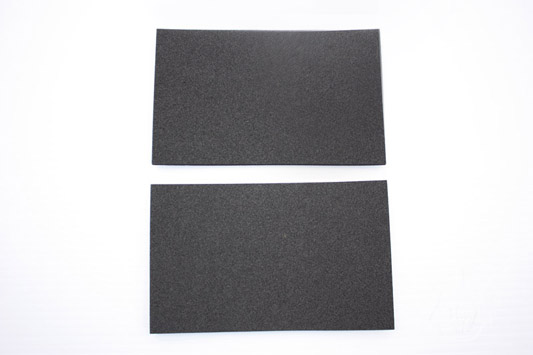 Battery Pad Set$10.40
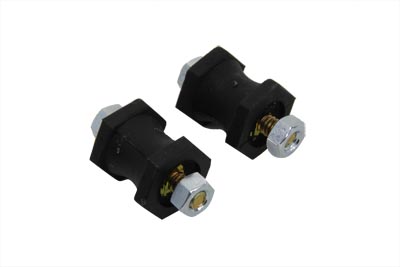 Battery Tray ISO Stud Set$10.64
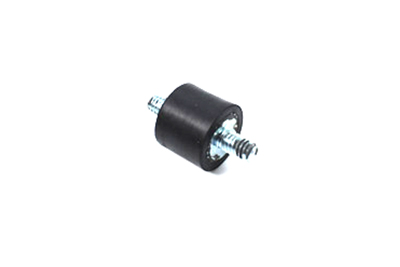 Battery Tray ISO Stud$12.02
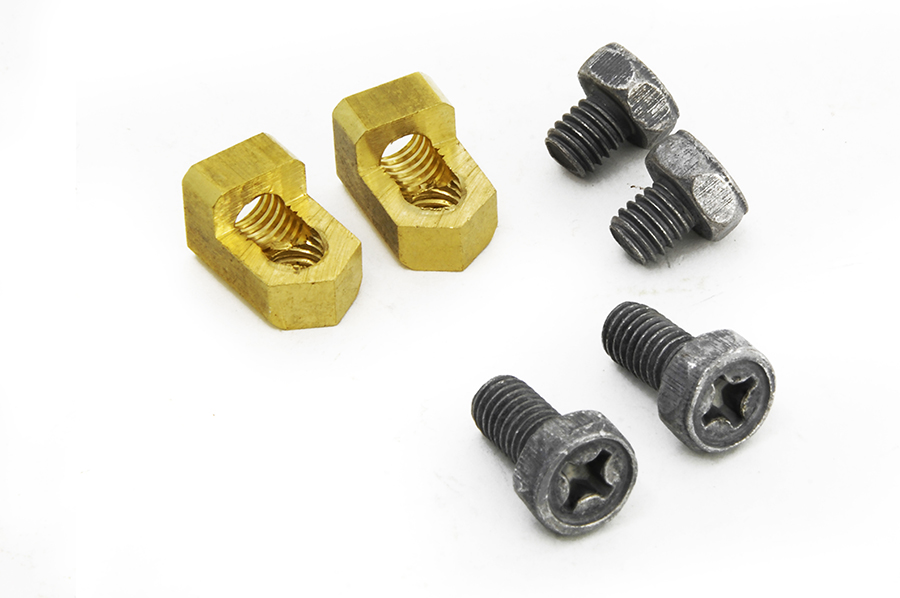 Brass Battery Terminal Adapter Kit$12.80
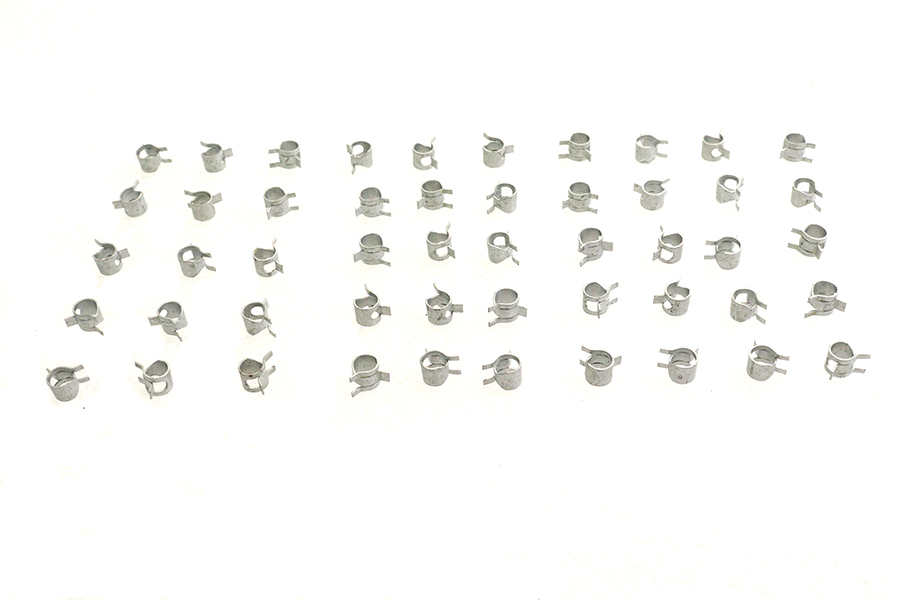 Zinc Battery Vent Clamp$12.80
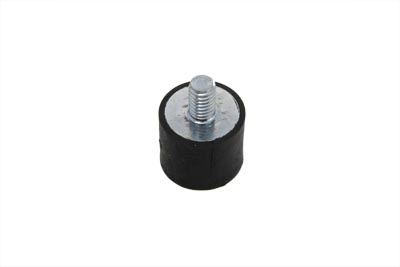 Battery Tray ISO Stud$14.72
 Stainless Steel Battery Strap$17.12
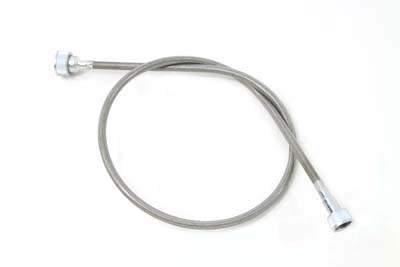 *UPDATE 35" Stainless Steel Speedometer Cable$17.30
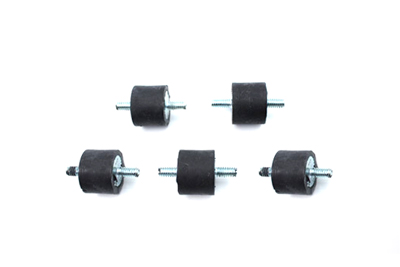 Battery Tray ISO Stud Set$18.50
 46.5" Black Speedometer Cable$20.70
 Chrome Battery Tray Carrier Bracket$21.44
 Black Ground 10-1/4" Battery Cable$21.58